 Conflict FileConflict files are files that have changed both in source and in target folder in-between synchronizations. These files are identified only when using the tracking database in the profile settings.
Conflict files are marked with a '**' in front of the file name and a yellow background.
| 
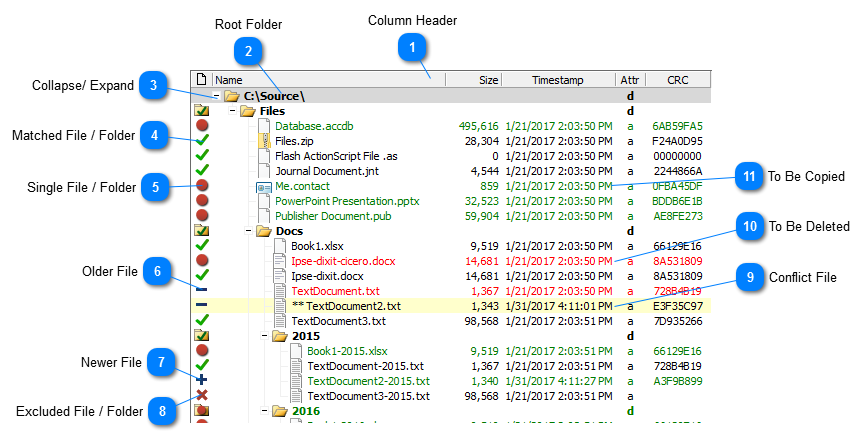


 ) marks matched files/folders. Matched files/folders have a corresponding matched file/folder on the other side, according to the comparison method selected in the profile settings.
 ) marks single files/folders. Single files/folders do not have a corresponding file/folder on the other side.
 ) marks older files. Older files have a corresponding newer file/folder on the other side.
 ) marks newer files. Newer files have a corresponding older file/folder on the other side.
 ) marks excluded files and folders. Excluded files and folders are ignored.
