

| Main Page > Browse Categories > VVEngine > 20. RSS Feeds |
20. RSS Feeds
*** Requires VVEngine 1.1 or any later version ***
VVEngine supports two RSS feeds (three since version 2.0) that can report the latest run for each enabled profile in VVEngine. The VVEngine feeds are accessible via any RSS reader. The feeds are accessible at:
http://<ip>:<port>/rss.xml (eg http://127.0.0.1:8001/rss.xml or from a remote computer http://192.168.1.1:8001/rss.xml)
and
http://<ip>:<port>/errors.xml (eg http://127.0.0.1:8001/errors.xml or from a remote computer http://192.168.1.1:8001/errors.xml, this feed only reports profiles with errors)
and
http://<ip>:<port>/rssall.xml (eg http://127.0.0.1:8001/rssall.xml or from a remote computer http://192.168.1.1:8001/rssall.xml, this feed reports all profiles, including disabled profiles. This feed is only available in VVEngine version 2.0 or newer)
VVEngine RSS Examples
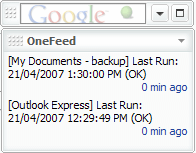
Google Desktop Gadget OneFeed showing VVEngine RSS feed
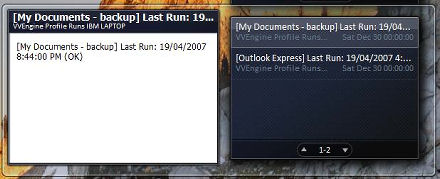
Windows Vista Sidebar Gadget showing VVEngine RSS feed
No attachments
Did this help you?
Yes No
Statistics
51% found this information useful
Other Options
Printable Version
General Information
No. 71
Author: TGRMN Software
Download ViceVersa
Visit ViceVersa Forum
User Comments