The Main Window
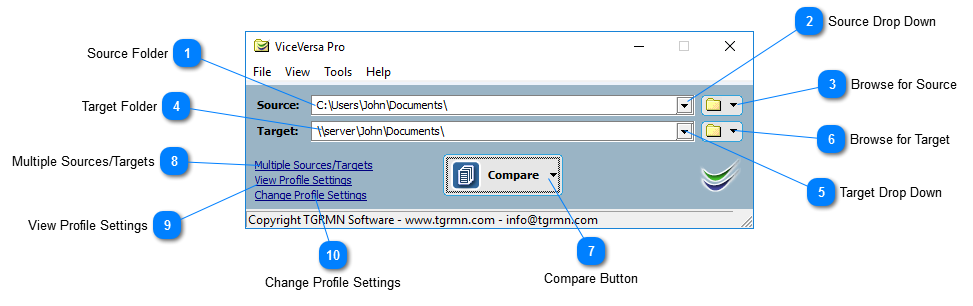
Source Folder
Selects source folder.
Top
Source Drop Down
Selects from recently used source folders.
Top
Browse for Source
Browse for source folder.
Top
Target Folder
Selects target folder.
Top
Target Drop Down
Selects from recently used target folders.
Top
Browse for Target
Browse for target folder.
Top
Compare Button
Compares source and target and shows the comparison window.
From the drop down button, 'Compare and Execute' can be selected to compare source and target, show the comparison window AND execute the profile.
Top
Multiple Sources/Targets
Switches to multiple sources/targets view.
Top
View Profile Settings
Shows View Profile Settings window.
Top
Change Profile Settings
Opens Profile Settings window.
Top