Backup to USB Drives with ViceVersa PRO Software. Fast.
ViceVersa PRO: high-performance backup software utility for USB disk drives. Backup, replicate, copy files from PC, Laptop, Workstation, Server to USB drive. Real-time, scheduled, on-demand.
You'll love it!
With ViceVersa PRO you can make an exact backup copy of all your files / folders to USB drive.
The first time it runs, ViceVersa PRO will copy all the files in the folders you selected to the USB drive (if the files are not already there). But after the initial run, ViceVersa PRO will automatically only copy files that are new or have changed since the last time, which is very fast: so you can have an always up-to-date, exact replica of all your important files on the USB drive, file by file and folder by folder.
- Fast. ViceVersa PRO software is optimized for speed. Backup files to USB drives.... fast !
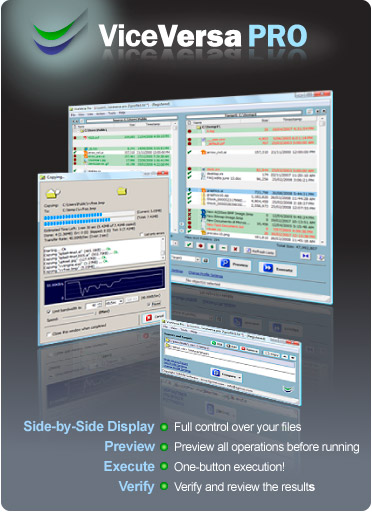
- Simple. ViceVersa will compare files on your computer vs. files on the USB drive and display them side-by-side, so you can make sure that you have an exact backup copy of all your files.
 Show Me How Show Me How
- Efficient. Files are firstly compared, then only new or changed files since the last backup are copied to the USB drive.
- No Proprietary Format. Files are copied to the USB drive in their original format. A 1:1 mirror.
- Automatic USB Backup. Schedule the backup to run automatically and unattended, at intervals or as soon as file changes are detected (real-time mode), at start-up or shut-down.
- Backup Open Files. So you do not have to stop working while the backup is running.

- Terabytes of Data. No limit on data size or file size. ViceVersa can handle terabytes of data and millions of files.
- Fully Customizable Backup Software Utility for USB drives: Encryption, Compression, Bandwidth Control, Processor Load Control, File Archiving, Password Protection, File Verification, File Permissions... View Complete List of Features
- Value for Money. Try ViceVersa PRO completely free for 30 days. Then it's only US$ 72.95 to purchase.
Download Free Trial 
Fully Functional 30-Day Trial
System Requirements: Windows 11, 10, 8.1 / 8, 7, Vista, XP. Windows Server 2022, 2019, 2016, 2012, 2008, 2003, 2000.
|
 Fully Functional Free Trial
Supported USB Drives (External USB Drives / Flash Drives)
ViceVersa PRO software supports all USB drives, including: Maxtor OneTouch, Maxtor OneTouch Mini, Maxtor BlackArmor, WD Western Digital My Passport, WD Western Digital My Book , Buffalo MiniStation, Lacie drives, Toshiba, Fujitzu, Seagate, Iomega, Apricorn, Sony Micro Vault, Belkin, Corsair flash drives, Ironkey, Kingston Data Traveler, SanDisk Cruzer, Imation, Lexar
|





 Visit the ViceVersa
